

Buying guides · Product photography
A photograph can make the choice feel simple. Then you open the options and find several skin tones, a different wig and more than one body. Before you order, separate the appearance you like from the configuration that produces it.
Quick answer: Keep the exact product link and reference image together. Confirm the head, body, skin-tone option, makeup and included accessories in writing. Use studio pictures to choose a look, then request suitable additional views when a detail remains unclear. A photo is useful evidence, but it is not a complete specification.
In this guide
Start with the reference image, not a model name
Save the product URL and the particular gallery image you prefer. A model name alone may not identify the head and body combination, especially when stock and custom listings sit alongside each other. If you send customer support a cropped face with no link, the first task is simply identifying it.
Write down what attracted you. Was it the face shape, the eyebrow colour, the hairstyle or the outfit? This is more useful than asking for “exactly the same doll” while leaving several options unspecified. A different wig may be acceptable; a different head may not be. Make that distinction before discussing an order.
Our recommendation is to settle the head and body identification first. Compare styling after that. If you are still deciding between materials, use the TPE and silicone comparison rather than trying to identify the material from a glossy photograph.
Different pictures answer different questions
A studio image is useful for seeing a finished look. A workshop photograph may show a production step. A close-up can reveal a detail that disappears in the main picture. None automatically replaces the others, and a large gallery can still leave your most important question unanswered.
| Image type | Useful for | Still needs confirmation |
|---|---|---|
| Styled catalogue photo | Face, styling and the photographed appearance | Exact order options and what is included |
| Factory or workshop image | The process or item visible in that frame | Whether it shows your model, a sample or your particular order |
| Close-up | Eyebrows, lips, nails and visible surface details | Overall configuration and details outside the frame |
| Order-specific photo | Checking the visible item against an identified order | Hidden construction, functionality and any unshown areas |
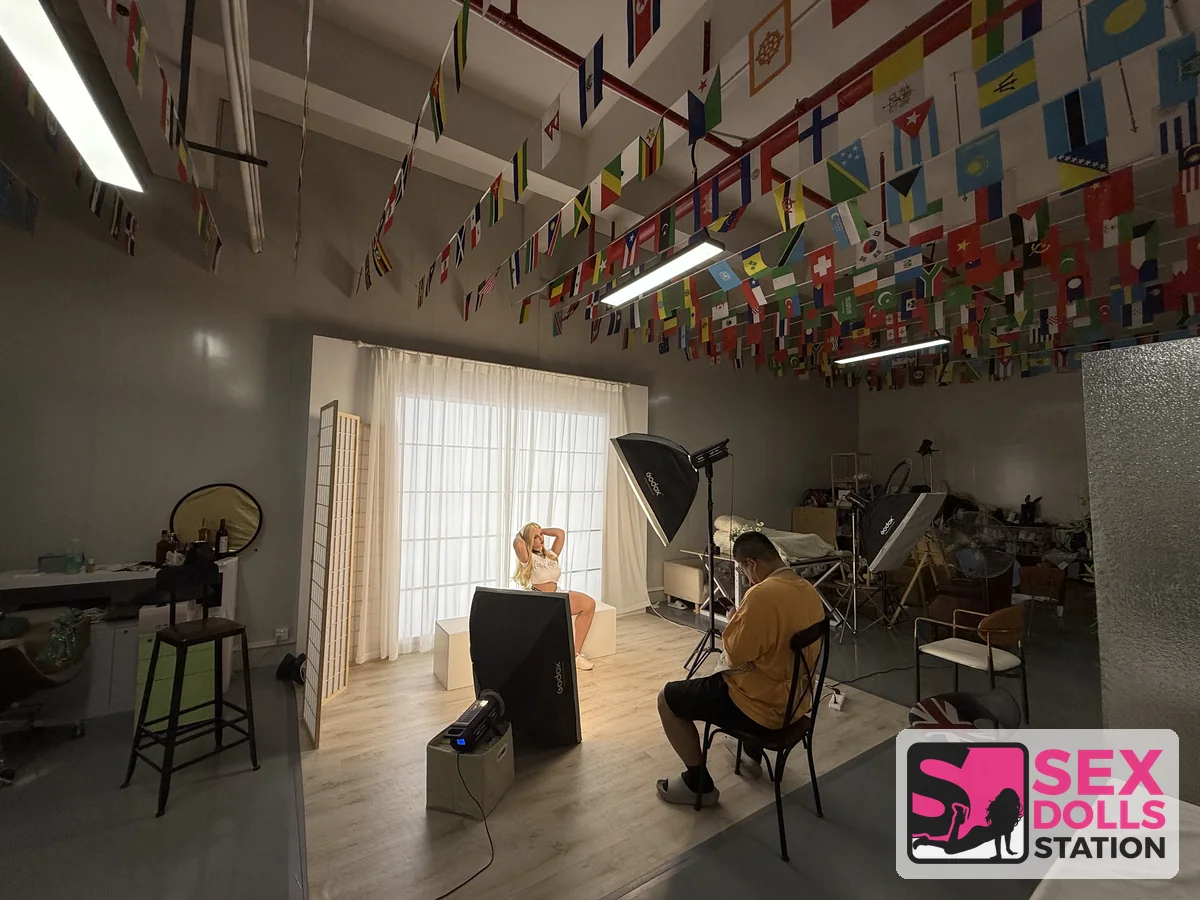
The studio photograph above comes from the supplier-visit material provided for this site. The lights, backdrop and camera position are visible. It helps explain how a presentation image is made; it does not establish that the pictured room is a warehouse, that we own the factory, or that a particular model is ready to ship.
When the colour looks different
Light and white balance affect the colour recorded in a photograph. Adobe’s white-balance explanation describes how a camera setting or later adjustment can change a colour cast. Two photographs made under different conditions are therefore a weak basis for choosing between very similar skin tones.
Ask for the manufacturer’s named colour option or code associated with the reference image. Where comparable photographs are available, request the same lighting and a similar background. You do not need a technical photography report; you need enough information to avoid ordering one option while expecting another.
Do not dismiss every discrepancy as lighting. If the selected colour code differs from the order confirmation, that is a configuration issue. If the code matches but the photographs look different, ask for clarification before approving anything. A genuine option mismatch and an uncertain photographic comparison require different responses.
Read the face and finish separately
Compare the head shape with the reference, then look at the applied details: eyebrows, eyeliner, lip colour and the appearance of the eyes. Hair frames the face, so ask whether the hairstyle in the photograph is the supplied option or styling used for the shoot. Do not assume a wig or accessory can be changed unless the listing or seller confirms it.
A portrait can conceal the hands and nails completely. If those details matter to your choice, request a closer view instead of repeatedly enlarging a small full-body image. Enlargement cannot recover detail that the source never recorded.
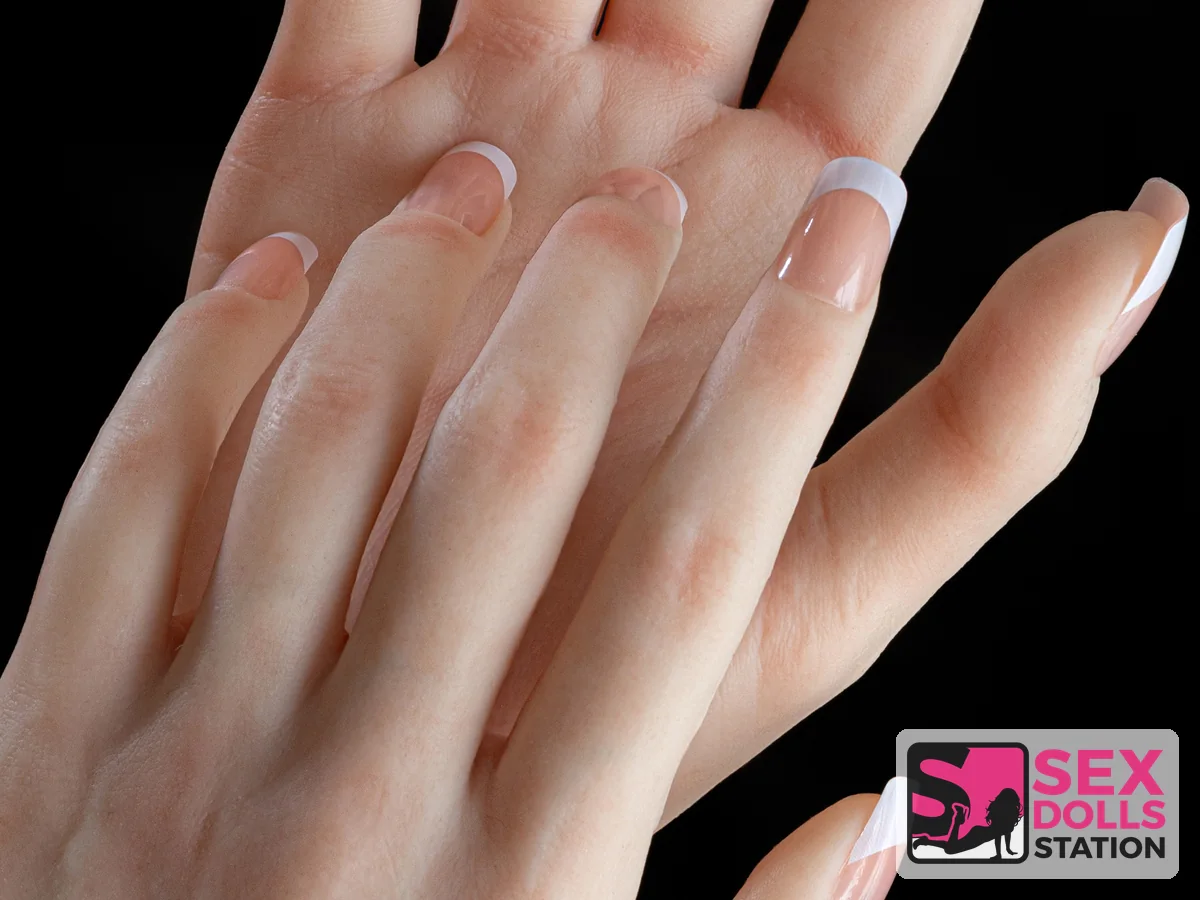
This hand image is a useful example of that limit. You can inspect the visible nail finish and surface, but cannot establish the internal finger construction or range of movement from this frame. Those are specification questions, not visual conclusions.
Build a photo-to-order checklist
Keep a short record beside the product link. For each row, note whether the answer came from the product description, a selected option or a written reply. This prevents a photograph from quietly becoming a promise that nobody actually made.
- Exact listing and reference-image number or screenshot.
- Head identification and the body configuration being purchased.
- Named skin tone, eye option and makeup selection.
- Wig or hair specification, including whether the photographed styling is included.
- Clothing, jewellery, stands and other visible accessories: included or display only.
- Any requested detail views and the seller’s response.
For a stock listing, check the configuration of the actual stock item. For a made-to-order listing, check the available selections before assuming the photo can be reproduced with every combination. The distinction matters more than the number of attractive pictures on the page.
Keep delivery questions separate. A room in a factory photograph cannot establish where your item will ship from. For US, UK, Canadian or European delivery, consult the shipping policy and ask about the specific listing and destination. This guide adds no new delivery-time or stock-location promise.
Ask for the missing view
A focused request is easier to answer than “send more photos”. If the concern is the face, ask for a front view and a profile of the specified head. If it is the finish, name the relevant area. Ask whether available images show a sample or the item associated with your order.
I’m considering this product: [link]. My reference is [image]. Please confirm the head, body, skin-tone and makeup options shown. Could you provide a clear view of [specific detail], and tell me whether the image is a sample or relates to the item I would receive? Please also confirm which photographed accessories are included.
Use the contact page for this request. Send only the order information needed to identify the item. Personal photographs or identity documents are not needed to explain a preferred hairstyle or ask about a product detail.
Availability of additional photographs should be confirmed, not assumed. If the seller cannot provide a particular view, decide whether the remaining uncertainty matters enough to pause your choice. More pictures are helpful only when they answer the question.
For example, imagine that your reference shows dark eyebrows and a blonde wig, while the selected options mention only a blonde wig. The hair choice does not answer the eyebrow question. Attach the reference and ask about the makeup separately. This is a hypothetical comparison, not a reported customer case. It shows why a short, specific question can be more useful than another complete gallery.
When a reply resolves the issue, retain it with the order confirmation. If it introduces a different head or option, update your checklist before continuing. A useful record should describe the final choice, not an earlier combination you considered and rejected.
Two catalogue examples to inspect
These links lead to individual product listings rather than a general category. They are examples for practising the comparison, not a ranking or a claim that either configuration suits everyone. Check the current description and selections on the linked page.
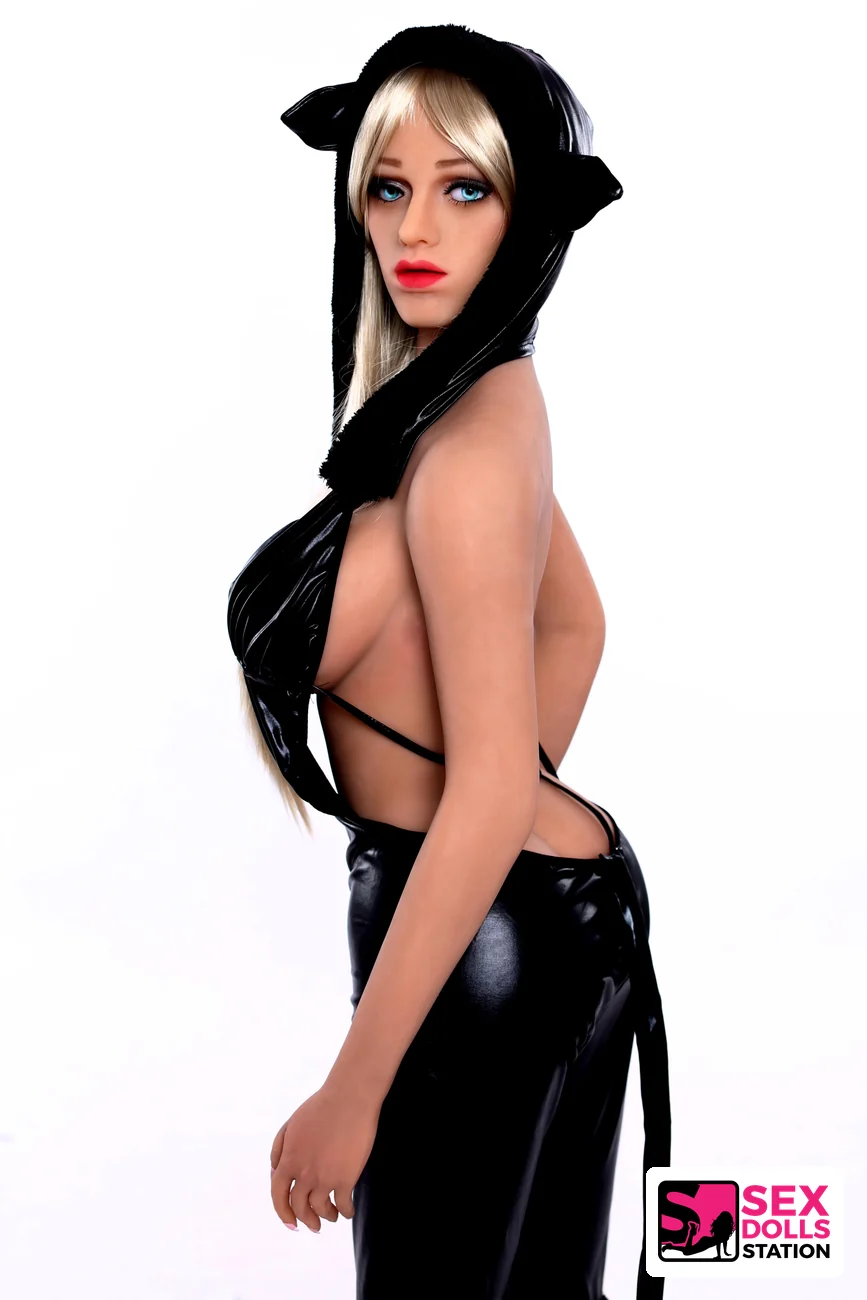
Gloria
The face and black outfit are clearly visible here. Record the relevant choices from the listing instead of treating every styling element as included.

Tifa
Keep this product’s reference separate from Gloria’s. Similar option names across two listings do not establish an identical finish.
What a video adds
A continuous clip can provide changing angles and show details that one still image hides. Visit the real product video collection, but check which model and configuration the clip represents before applying it to another listing.
For an interactive head, a silent photograph cannot demonstrate speech. Conversely, a speaking-head clip does not establish the movement or construction of the rest of the doll. Keep that distinction in mind when using the AI configuration guide. A video and a written specification should answer complementary questions.
Common questions
Does a factory picture show the exact item I will receive?
Only if it is identified as relating to your particular order or stock item. Otherwise it may show a sample, a similar configuration or a production stage. Ask which before using it as order-specific evidence.
Can I identify TPE or silicone from the photograph?
Do not rely on appearance alone. Use the written material specification for the head and body. Lighting and surface finish make a visual guess unreliable.
Does the site’s watermark certify the product?
No. A watermark identifies the branded image presentation. It is not a material certificate, an independent inspection or proof that the image shows your order.
Should I choose a doll because it has the largest gallery?
Choose based on whether the images and specification answer your questions. Several useful views of the right configuration are more valuable than many attractive photographs whose options are unclear.
How this guide was prepared
This editorial guide uses the site’s existing product listings, branded image assets and supplier-visit photographs. The comparison checklist is editorial guidance, not a report of a controlled product test. Images are labelled by what they demonstrate; no factory-ownership or universal photo-approval policy is inferred from them.
For the original photography context, see Adobe’s white-balance guide. For a specific purchase, the product listing and written configuration confirmation are the relevant next steps.
